

Published
17 min read
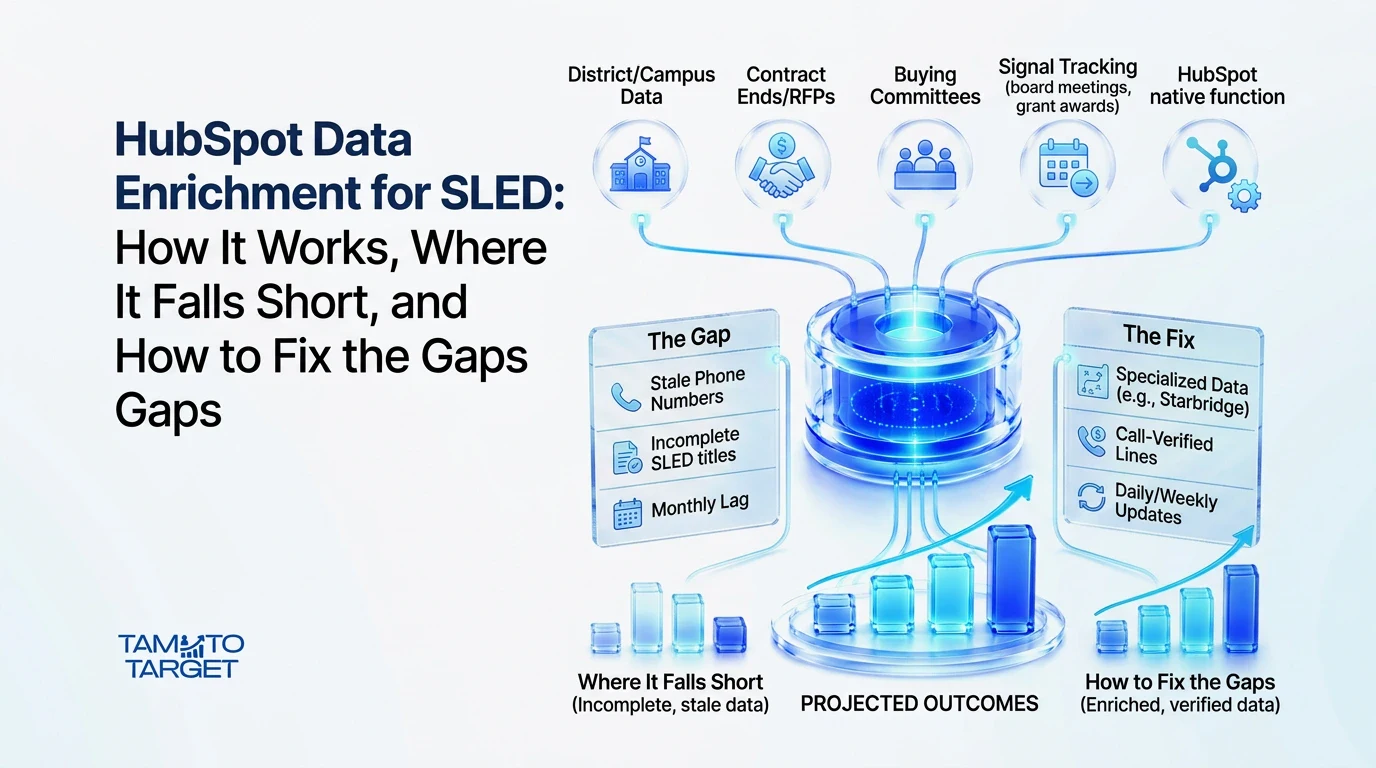
What Is HubSpot Data Enrichment?
HubSpot data enrichment is a built-in feature that automatically fills in missing contact and company properties in your CRM. It pulls from HubSpot's commercial dataset, third-party data providers, and public web information. The result is fuller records without manual research.
An enriched record is a contact or company record that has extra details appended to it. Those details might include job title, industry, company size, location, or social profiles. When people search for "enriched data meaning," that's the short answer: data you didn't collect yourself, added to data you did.
HubSpot needs a starting point to find a match. Per the HubSpot data enrichment docs, "For contact enrichment, HubSpot uses first name, last name, and work email address." For companies, HubSpot uses the company domain.
At TAM to Target, we treat enrichment as the first pillar of a working pipeline engine. Our public-sector lead generation framework runs in a set order: data quality first, then volume and messaging, then signal enrichment. If the data is wrong, nothing built on top of it works, including the account scoring that decides who your team calls next.
Why Enrichment Matters: Data Decay and the Cost of Bad Records
Data decay is the rate at which CRM records go stale. People change jobs, districts reorganize, agencies restructure, and email addresses stop working.
No one publishes a reliable decay rate for your specific database. Job turnover data shows why records slip, though.
Per BLS employee tenure data, the median wage and salary worker had been with their current employer 4.1 years in January 2026. Per BLS job openings and turnover, the monthly quits rate across U.S. nonfarm jobs was little changed at 2.1 percent in September 2026.
Neither figure is a CRM decay rate. Both show that people move on steadily, and their records don't update themselves.
Bad records also cost money. Poor data quality costs organizations at least $12.9 million a year on average, according to Gartner research from 2020 (see the Gartner data quality cost estimate). That figure is a cross-industry average, so don't map it directly onto a $10M ARR company.
Here's what we see on the ground. Across TAM to Target clients, top-performing campaigns hit 10-12 connects per day, while struggling campaigns see only 1-2. The gap comes down to dialing volume and list quality.
In a finite market, a bad record is more than a wasted dial. Calling the wrong person at a district, emailing a dean who left two years ago, or pitching a county IT director who moved to the state agency tells buyers you didn't do your homework. Those buyers know their peers in the next district, campus, or county over.
How HubSpot Data Enrichment Works
HubSpot enrichment matches your records against HubSpot's commercial dataset and outside sources. According to HubSpot's documentation, if matching information shows up across multiple sources, HubSpot updates the corresponding properties in your CRM.
You stay in control of what changes. Per HubSpot's documentation, enrichment doesn't overwrite values you already have unless you choose to allow it. That matters if your reps have hand-verified titles or phone numbers you don't want replaced.
HubSpot data enrichment also logs what it changed. When you enrich in bulk, you can review each record and its enrichment result in a side panel. That makes it easier to spot bad matches before they spread through your lists.
1 The Four Ways to Enrich Records
According to HubSpot's documentation, there are four ways to apply enrichment. Each fits a different job, from cleaning up a backlog to keeping new leads complete.
| Method | What It Does | When to Use It |
|---|---|---|
| Automatic enrichment | Enriches new records created from forms, integrations, or manual entry | Ongoing hygiene for every new lead (off by default) |
| Individual record enrichment | Enriches one contact or company while you view the record | Prepping for a key call or meeting |
| Bulk enrichment | Enriches many records at once from an index page or during an import | Cleaning up a list or a legacy database |
| Intelligence tab | Shows company insights and visitor activity on a record | Quick research before outreach |
According to HubSpot's documentation, automatic enrichment is turned off by default for both contacts and companies. Someone on your team has to switch it on, and the settings are separate for each object.
2 What HubSpot Credits Cover (and Don't)
HubSpot Credits are a usage-based currency HubSpot charges for certain AI features. The good news: standard data enrichment does not consume HubSpot Credits, per the same HubSpot docs referenced above.
Smart Properties do consume credits. A Smart Property is an AI-generated field, like a custom summary or classification, that goes beyond standard enrichment. Certain other AI features use credits too, and enrichment availability depends on your subscription, so check your plan before you roll anything out.
How to Set Up HubSpot Data Enrichment
Setup happens in your account settings. Work through these steps in order.
- Confirm permissions: According to HubSpot's documentation, you need Super Admin permissions to configure enrichment settings.
- Test record eligibility: Run HubSpot's data test to see your match rate before enriching anything.
- Turn on automatic enrichment: Switch it on for contacts and companies separately so new records get filled in.
- Enable continuous enrichment: Let HubSpot refresh previously enriched records over time.
- Choose overwrite rules: Decide, property by property, whether enriched data can replace existing values.
- Grant user access: Per HubSpot's documentation, give the right team members Data enrichment access permissions so they can enrich records themselves.
The enrichment settings configuration guide describes the option as "continuously enrich existing records: update previously enriched records monthly when new data becomes available." One watch-out: the workflow "Enrich record" action can overwrite values regardless of your property rules.
If you sell into the public sector, structure HubSpot around how your buyers are organized before you turn enrichment on. For K-12 that means clean parent-child associations between districts and schools. For Higher Ed it means systems, campuses, and departments. For state and local government it means agencies, counties, and cities. Add properties for buyer role and institution type in all three. Our HubSpot K-12 implementation playbook walks through that setup for districts.
How to Use Enriched Data in HubSpot
Enriched data only pays off when it drives action. Here are the core ways teams put it to work in a data enrichment CRM setup.
- Form shortening: HubSpot checks its dataset when someone fills out a form and hides fields it can already fill.
- Lead scoring: Score on job title, organization size, and institution type instead of waiting for leads to tell you.
- Segmentation: Build lists by role, region, or organization type for tighter messaging.
- Personalization tokens: Pull enriched fields into emails so outreach reflects the buyer's role.
- Workflow triggers: Route leads, assign owners, or start sequences when a key field gets filled.
For public-sector sellers, scoring needs to reflect how districts, campuses, and agencies actually buy. We grade every account on four sub-scores (Fit, Momentum, Relevance, and Market) that roll into one Priority Score inside HubSpot, and that score decides who gets called first. Our guide to lead scoring for school districts breaks down which fields to weight. A Priority Score is only as good as the contact data sitting under it, which is why enrichment comes first.
Here's what this looks like in practice. One charter school development nonprofit came to us with a HubSpot instance that wasn't doing much. We built out HubSpot with lead enrichment, routing, and nurture. The nonprofit then booked 15+ meetings in 45 days and saw a 1,900% increase in qualified lead volume.
Where HubSpot's Native Enrichment Falls Short in SLED
Native HubSpot enrichment is a fine starting point. It's built for broad commercial coverage, though, and in SLED markets that shows up in three places.
Knowing these limits up front helps you plan. You can decide where HubSpot data enrichment is enough and where you need another layer.
1 Contact-Level and Match-Rate Gaps
Company enrichment often succeeds where contact enrichment doesn't. A domain is easy to match, while a specific person at that domain may not be in the dataset. In our experience, district, university, and agency records often enrich fully while the contacts under them stay blank.
HubSpot defines match rate as "the percentage of records that are eligible for enrichment." HubSpot's guide to testing record enrichment eligibility notes that eligibility can vary due to factors such as geographical location.
There's no published match-rate benchmark. Run the data test on your own records before you set expectations.
2 Monthly Refresh Lag
Continuous enrichment runs monthly, and only when new data is available. It isn't a guaranteed update for every record every month.
That lag matters for job changes. A superintendent who leaves in August might still show as your contact in September. If your team is mid-sequence, they're emailing someone who's gone.
3 Thin Coverage in Finite Markets Like SLED
Public-sector markets are markets you can count. In K-12 alone, the NCES public school counts for school year 2024-25 show 99,073 operating public schools and 19,183 operating districts in the U.S.
In TAM to Target's view, generic commercial datasets aren't built for that structure. They aren't organized around districts, NCES IDs (the federal identifiers for each school and district), campuses, or agencies, and they don't track public-sector titles like curriculum director, dean of students, or county CIO. That's our read from working in these markets, not a measured coverage rate.
Phones are the biggest gap. Commercial datasets lean on email, and when they do carry a phone number for a public-sector contact it's often the main office line. In SLED, the phone is still the channel that books meetings, so a front-desk number is close to no number at all.
Intent data has the same problem. In our experience, generic intent tools are tuned to corporate buying behavior, and districts and agencies don't buy that way. Here's more on why intent data misses districts.
Before you trust a SLED record, check it against this list.
- Verified direct phone: The number reaches the person, not a front office.
- Validated email: The address passes verification and won't bounce.
- Current title: The role reflects this school year or fiscal year, not last year.
- Correct association: The contact links to the right school, district, campus, or agency.
- Official ID match: For K-12, the record matches the NCES identifier.
How Most SLED Teams Fill the Gap: Specialized Data Providers
Because native enrichment is thin in the public sector, most teams selling into K-12, Higher Ed, and state and local government partner with a specialized data provider. Common names in this space include EduLead, Agile Education Marketing, MDR, and Starbridge, and some teams add a services partner like TAM to Target on top.
Each one approaches the problem a little differently. When you compare them, look at four things:
- Contact accuracy: How often the email actually reaches the person.
- Direct-dial coverage: How many contacts come with a phone number that skips the front office.
- Refresh method: Whether records update automatically or only when you buy a new list.
- CRM sync: Whether the data writes straight into HubSpot or arrives as a spreadsheet someone has to import.
That last point matters more than it looks. A list that lives in a spreadsheet starts decaying the day it's exported. Data that syncs into HubSpot can be refreshed, scored, and routed without anyone touching it.
Why We Pair Starbridge With TAM to Target
After working across all three verticals, we've landed on a two-layer setup: Starbridge for the base dataset, and TAM to Target's call-verified data on top of it. Here's why.
1 Layer One: Starbridge Contact Data
Starbridge is built for government and education, not adapted from a commercial dataset. Per Starbridge's contact and company data page, "Starbridge contact data has 98% email accuracy across government and education." It also carries 100+ data attributes on every public-sector account, syncs into HubSpot or Salesforce, and marks contacts who've left their organization.
That same Starbridge data feeds two of the four sub-scores in our Priority Score. Fit comes from Starbridge's account attributes (enrollment, FTE count, institution type, AI adoption propensity), and Relevance comes from Starbridge's public-sector signals like board meeting minutes, open RFPs, and contract end dates. So the contact data and the scoring come from the same source.
2 Layer Two: Human-Verified Direct Lines From TAM to Target
Email accuracy is only half the job in SLED. The phone is where meetings get booked, and that's where our data comes in.
TAM to Target places 200,000+ calls a month into K-12 districts, colleges and universities, and state and local government organizations. Every one of those calls tells us something about the record: whether the number reached the person, went to a front office, was wrong, or belonged to someone who's moved on. That result is written back to the contact.
We also find direct lines on purpose, not by accident. Our team works through phone trees and talks with the administrative assistants who know exactly how to reach the curriculum director, the dean, or the procurement lead. Those direct lines get added to the record.
The result is a dataset that lives on top of Starbridge. Adding TAM to Target's layer gives our clients 10-20% more direct lines than Starbridge alone.
3 How It Runs: Automated, Every Day and Every Week
For clients on our GTM Engineering service, none of this depends on someone remembering to run an export.
- Daily enrichment: We automatically enrich as many contacts as you want, every day, directly in your CRM.
- Weekly top-200 refresh: Every week, your top 200 accounts by Priority Score are re-enriched, and the best contact data is added to your sales team's queue.
That weekly refresh is what closes the monthly-lag problem. The accounts your reps are about to call are the ones that get checked again, so they can trust that the number in front of them is the best one available.
How to Close the Gaps
You don't need to abandon HubSpot data enrichment to fix these gaps. Keep it running for broad firmographic coverage, then layer specialized data on top in the right order.
That order follows our framework: data quality first, then volume, then signals. Each step below maps to one of those pillars.
1 Map Your TAM and Layer Specialized Data Into HubSpot
Start by mapping your total addressable market (TAM), the full list of organizations that could buy from you. In a finite market, that list is countable, so build it before you enrich anything. Our TAM mapping and enrichment services start there.
Next, connect a specialized data provider to HubSpot through a native integration so contact data writes straight into your records. A full tech stack integration keeps that data syncing cleanly.
One K-12 social-emotional learning provider shows how fast this can move. We mapped 13,000+ ICP-matching schools in three weeks, reaching 99% market coverage.
2 Trigger Re-Enrichment on Buying Signals
A monthly refresh only covers the basics. Set up an enrichment workflow that fires at the moments that matter.
- Record creation: Enrich every new contact and organization the moment it enters HubSpot.
- Priority Score change: Re-enrich when an account climbs into your top tier so reps call the right person first.
- Deal stage change: Re-enrich when a deal advances so you see the full buying committee.
- Buying signals: Re-enrich after a leadership change, board vote, budget approval, or grant award.
A buying signal is an event that suggests an organization is ready to buy. Our B2B buying signals guide covers the signals worth tracking in public-sector markets.
3 Measure Field Completeness and Own the Process
Build a report on the completeness of the fields that feed your scoring and routing. If half your contacts lack a title or a direct phone, your Priority Score is routing reps to half-finished records.
Track completeness by segment, too. HubSpot data enrichment may fill organization records well while your district, campus, or agency contacts stay thin. A blended average hides that gap.
Quality beats quantity here. A smaller list with 100% accurate data will outperform a larger list with 70% accuracy every time.
Finally, give enrichment an owner. Someone needs to watch completeness, fix rules, and adjust workflows as your market shifts. If you don't have that person in-house, fractional RevOps support can fill the role.
HubSpot Data Enrichment and Privacy
Enrichment doesn't hand off your compliance obligations. You're still responsible for how you collect, store, and use personal data under laws like GDPR and state privacy rules.
Individuals can opt out of HubSpot's enrichment dataset by contacting HubSpot directly. When that happens, the record gets an enrichment opt-out property and Super Admins are notified. Per HubSpot enrichment opt-out notices, once someone is removed from the commercial dataset, future enrichment requests won't return data for that contact.
According to HubSpot's documentation, turning off enrichment doesn't remove data that's already been enriched. If you need that data gone, you'll have to clear it yourself.
Data sharing also made news in 2026. Per CMSWire on HubSpot's reversal, HubSpot announced a July 1 terms change to share customer enrichment data across accounts, then reversed it by July 5. The reversal followed sustained backlash from customers.
On July 5, 2026, HubSpot also committed that new enrichment capabilities using customer data will be opt-in. Policies like this keep changing, so review HubSpot's current terms with your legal team before you turn enrichment on.
Frequently Asked Questions
Does HubSpot Data Enrichment Work Automatically?
Only if you turn it on, because automatic enrichment is off by default for both contacts and companies. A Super Admin has to enable it in your settings.
Does HubSpot Enrichment Cost Credits?
Standard enrichment doesn't consume HubSpot Credits, but Smart Properties and certain AI features do. Check your subscription for availability.
How Often Does Enriched Data Refresh?
Continuous enrichment refreshes previously enriched records monthly when new data is available. It doesn't guarantee a monthly update for every record.
Why Do Contacts Fail to Enrich When Companies Succeed?
Company enrichment only needs a domain, while contact enrichment needs a name and work email that match a person in the dataset. That person-level match is harder to make, especially in niche segments like K-12, Higher Ed, and state and local government.
Is HubSpot Data Enrichment Good Enough for SLED?
It's a useful base layer for organization-level data, but it's thin on public-sector contacts and direct phone numbers. Most SLED teams add a specialized provider such as EduLead, Agile Education Marketing, MDR, or Starbridge.
What's the Best Way to Enrich SLED Contacts in HubSpot?
We recommend Starbridge as the base dataset, with TAM to Target's call-verified direct lines layered on top, synced directly into HubSpot. For GTM Engineering clients, contacts are enriched daily and the top 200 accounts by Priority Score are re-enriched every week.
Is HubSpot Data Enrichment GDPR Compliant?
HubSpot offers opt-out controls, but compliance depends on how your company collects and uses data. Talk to your legal team before enabling it.
Turn Enriched Data Into Pipeline
HubSpot data enrichment fills out thin records without spending HubSpot Credits. In SLED, it's the starting layer, not the finish line. Pair it with a mapped TAM, Starbridge contact data, call-verified direct lines, and a Priority Score that tells your team who to call next, and your reps stop guessing.
In finite markets, accurate data protects your reputation as much as your pipeline. Get the data right first, then scale volume and signals on top of it.
Schedule time with our team and we'll help you find your next $500k in pipeline.
Blogs

Explore Our Articles
Stay ahead with cutting-edge strategies and insights from industry experts
15 min read
Best SDR and Lead Generation Agencies for SLED in 2026: A Buyer’s Guide to Lead Generation for SLED
Lead generation for SLED is a different job than commercial B2B prospecting. SLED stands for state, local, and education buyers, and each of them buys on public rules and public calendars. This guide compares the agencies worth a look in 2026 and shows you how to vet them.
Read Article
11 min read
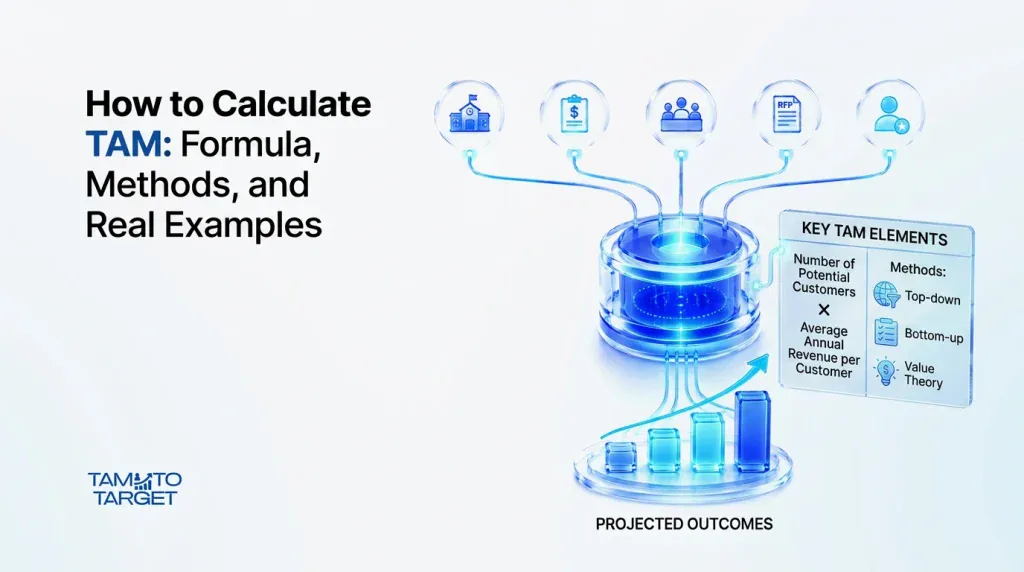
How to Calculate TAM: Formula, Methods, and Real Examples
If you need a market number for a board deck or a pipeline plan, learning how to calculate TAM is the place to start. The math is simpler than it looks. This guide covers the formula, the three main methods, and worked examples from K-12, higher ed, and local government.
Read Article
13 min read
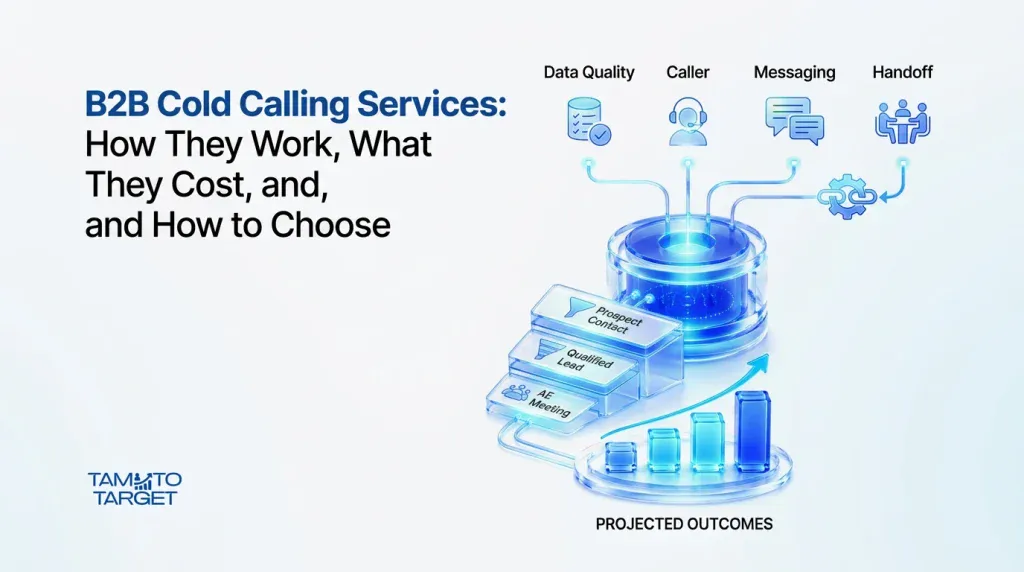
B2B Cold Calling Services: How They Work, What They Cost, and How to Choose
Your AEs should spend their time closing deals. Too often, they spend it hunting for the next meeting instead. B2B cold calling services fix that by handing first conversations to a trained outside team. This guide covers how these services work, what they cost, and how to pick a partner. You’ll also get benchmarks from […]
Read Article
11 min read
What Is RevOps? A Plain-English Guide to Revenue Operations
Your sales team says marketing sends bad leads. Marketing says sales never follows up. Meanwhile, customer success hears about new accounts a week late. If that sounds familiar, you’re probably asking: what is RevOps, and do we need it? This guide covers the definition, the four pillars, key metrics, and how to start without hiring […]
Read Article
12 min read
HubSpot Deal Stages: How to Set Up, Customize, and Forecast With Them
Your pipeline report says you’ll hit the number. Then half your late-stage deals slip into next quarter. Often, the cause is how your HubSpot deal stages are defined. This guide explains what deal stages are, how HubSpot’s defaults work, and how to customize them. You’ll also learn how to set entry and exit criteria, automate […]
Read Article

10 min read
What Is B2G Sales? A Beginner’s Guide to Business to Government Sales
If your team sells to schools, cities, or state agencies, you’re already doing B2G sales, even if nobody calls it that. Business to government sales follows its own rules, calendars, and buying habits. This guide covers what B2G means, how it differs from B2B and B2C, and how public agencies actually buy. You’ll also learn […]
Read Article
Ready to build pipeline in the gov + edu market?
Book a call and we'll show you exactly how we get your motion live and generating qualified meetings.
Book a Call